Product Updates9 min readby José

Build in Public, Week 3: Encryption, Token Billing, Free Tools, and 26 Compare Pages

Week 3 of building Sherlock Calls: AES-256-GCM credential encryption at rest, ClickHouse + PostgreSQL integrations, 4 free voice AI tools, transparent per-message token billing, and a real-time admin activity monitor.

TL;DR — The short answer

  • 1

    Week 3: AES-256-GCM encryption for all stored credentials, ClickHouse and PostgreSQL integrations, 4 free voice AI tools, transparent token-based billing (1 credit = $0.001), and a real-time admin activity monitor.

  • 2

    The credit system overhaul was the most important change: per-tool-call billing was a rough proxy. Token-based billing means operators can audit exactly what every investigation costs.

  • 3

    26 competitor comparison pages now live — Observe.AI, LangSmith, Helicone, Talkdesk, Five9, New Relic, and Grafana added this week.
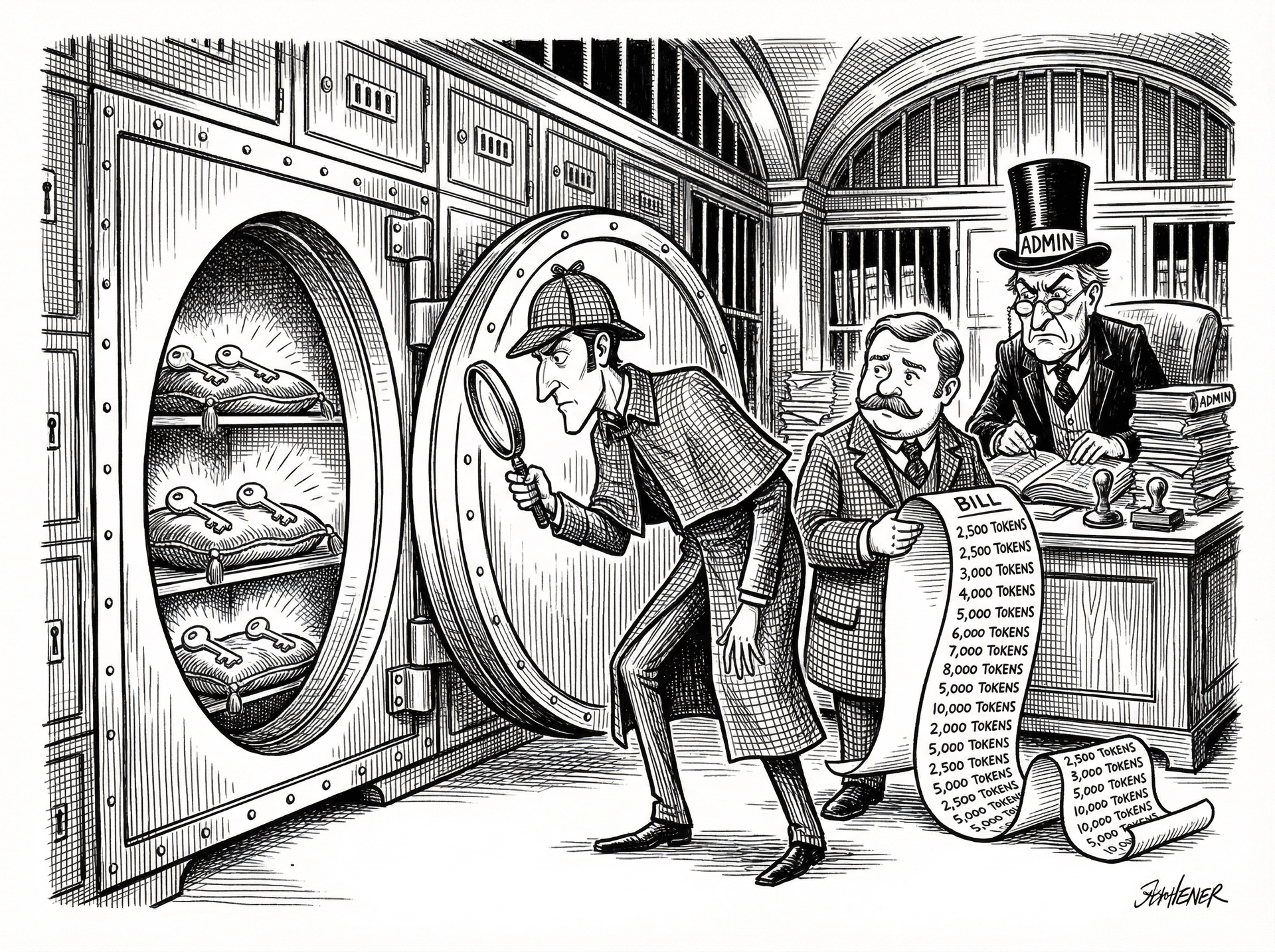
Credentials encrypted at rest with AES-256-GCM

All provider API keys stored in Supabase are now encrypted with AES-256-GCM before persistence. Keys are never stored in plaintext.
This matters specifically for a voice AI operations tool: the credentials Sherlock stores are live production keys for Twilio, ElevenLabs, Vapi, and HubSpot. A compromised Twilio key can drain your phone balance, make outbound calls on your number, and read your complete call history. A compromised ElevenLabs key can consume your monthly character quota and access your voice clones.
AES-256-GCM is the encryption standard used by AWS, Google Cloud, and Stripe for at-rest credential storage. The encryption key is held in the application environment — separate from the database. An attacker with read access to the Supabase rows gets ciphertext, not usable keys.
We also shipped ClickHouse and PostgreSQL as database integrations in v0.9. Both appear under a dedicated Databases section in Settings. ClickHouse connects via HTTP API; PostgreSQL supports an optional SSH tunnel for organisations that do not expose their database to the public internet.

Token-based billing: seeing exactly what you're paying for

The original billing model charged credits per tool call — each time Sherlock queried a provider API, it consumed a fixed credit amount. Simple to understand, but a rough proxy for actual cost.
The problem: a lightweight investigation (3 small API calls — fetching call counts, checking an error code, pulling a brief CRM record) cost roughly the same as a heavy investigation (3 calls pulling 200 records, running transcript analysis, correlating against a full HubSpot deal history). The per-call model treated them identically.
In v0.10, credits are charged per message based on actual Anthropic token usage plus a transparent margin. Every investigation now shows input tokens consumed, output tokens generated, tool-use tokens, and total cost in credits and USD. The margin is stored immutably on each message at charge time — billing history stays accurate even if pricing config changes later. Every charge is auditable.
The Admin Activity Monitor (see below) surfaces this per-message cost in real time for workspace admins.

Admin Activity Monitor: full operational visibility

Workspace admins now have a real-time dashboard showing every Sherlock investigation across the workspace. The feed updates live via Supabase Realtime — no page refresh needed.
Every entry in the feed shows: who ran the investigation and in which Slack channel, every tool call made (provider queried, parameters used, data returned), key findings from Sherlock's analysis, token usage per message (input, output, tool-use), cost in credits and USD, and full conversation replay — open any investigation and read the complete exchange.
This matters for two reasons. Operationally: admins can see recurring failure patterns across investigations and spot if certain provider queries are driving disproportionate cost. Trust: transparent billing data is the foundation of a billing relationship that does not generate support tickets. If an admin can see exactly what every credit was spent on, 'what did we pay for?' answers itself.

Investigation progress, cancellation, and Slack resilience

Long investigations can take 15–40 seconds. In v0.1 the Slack response was a loading spinner and then the complete case file — no visibility into what was happening during the wait.
In v0.10, Sherlock shows live progress blocks in Slack: the current action ('Pulling Twilio call logs for the last 4 hours...'), recent findings ('Found 23 calls with error code 13225'), and elapsed time. The investigation is transparent — not a black box.
You can also cancel a running investigation at any time. Cancellation is implemented via an active_investigations table in Supabase — a signal is written to the row, the streaming loop checks for it between tool calls, and the investigation stops gracefully with whatever findings it had accumulated.
We also hardened Slack response delivery: responses exceeding Slack's platform limits (40K characters, 50 blocks) now gracefully fall back to text-only and then truncated versions instead of silently failing.

4 free tools and 26 compare pages

The Evidence Room at /tools now has 4 free tools — no login required.
Error Decoder — Paste any Twilio, ElevenLabs, or Vapi error code. Get a plain-English explanation, root cause, and fix steps. 21 errors in the directory covering Twilio 13221/13222/13225/20003/21210, ElevenLabs 400/500, and Vapi webhook-timeout/tts-failure.
Latency Calculator (/tools/latency-calculator) — Model each component of your voice AI stack (STT, LLM, TTS, network) and find where the latency is coming from. Flags the bottleneck and gives a realistic TTFB estimate.
Call Cost Calculator (/tools/call-cost-calculator) — Estimate monthly voice AI costs by provider, call volume, and average duration.
Webhook Inspector (/tools/webhook-inspector) — A live webhook endpoint to inspect, debug, and replay payloads from any voice provider. No server setup required.
26 competitor comparison pages are now live. Added this week: Observe.AI, LangSmith, Helicone, Talkdesk, Five9, New Relic, and Grafana. Every page is a Bottom-of-Funnel capture for engineers evaluating voice AI observability tools. Adding a new page takes about 45 minutes of research and writing.

Explore Sherlock for your voice stack

Frequently asked questions

How does Sherlock Calls billing work?

Credits are charged per message based on actual Anthropic API token usage plus a transparent margin. 1 credit = $0.001. You can see the exact cost of every investigation — input tokens, output tokens, tool-use tokens, and total cost — in the admin dashboard and in the Slack response.

Does Sherlock Calls connect to ClickHouse or PostgreSQL?

Yes. ClickHouse (HTTP API with optional authentication) and PostgreSQL (with optional SSH tunnel) both shipped in v0.9. Connect either database and Sherlock can run SQL-level investigations against your own voice data, cross-referenced with provider data from Twilio, ElevenLabs, and your CRM.

What free tools does Sherlock offer?

Four free tools at usesherlock.ai/tools — no login required: Error Decoder (paste any Twilio, ElevenLabs, or Vapi error code, get a plain-English explanation and fix), Latency Calculator (model your voice AI stack TTFB by component), Call Cost Calculator (estimate monthly costs by provider and call volume), and Webhook Inspector (live endpoint to capture and replay provider payloads).

Share

Ready to investigate your own calls?

Connect Sherlock to your voice providers in under 2 minutes. Free to start — 100 credits, no credit card.